Find why your critical services slow down or stop.
When teams are unsure of the root cause, App911 steps in to prove it. We investigate application behaviour and the dependencies behind it, giving your teams evidence of where the problem lies.
24×7Critical incident escalation
ProactiveHunt weak links before they disrupt service
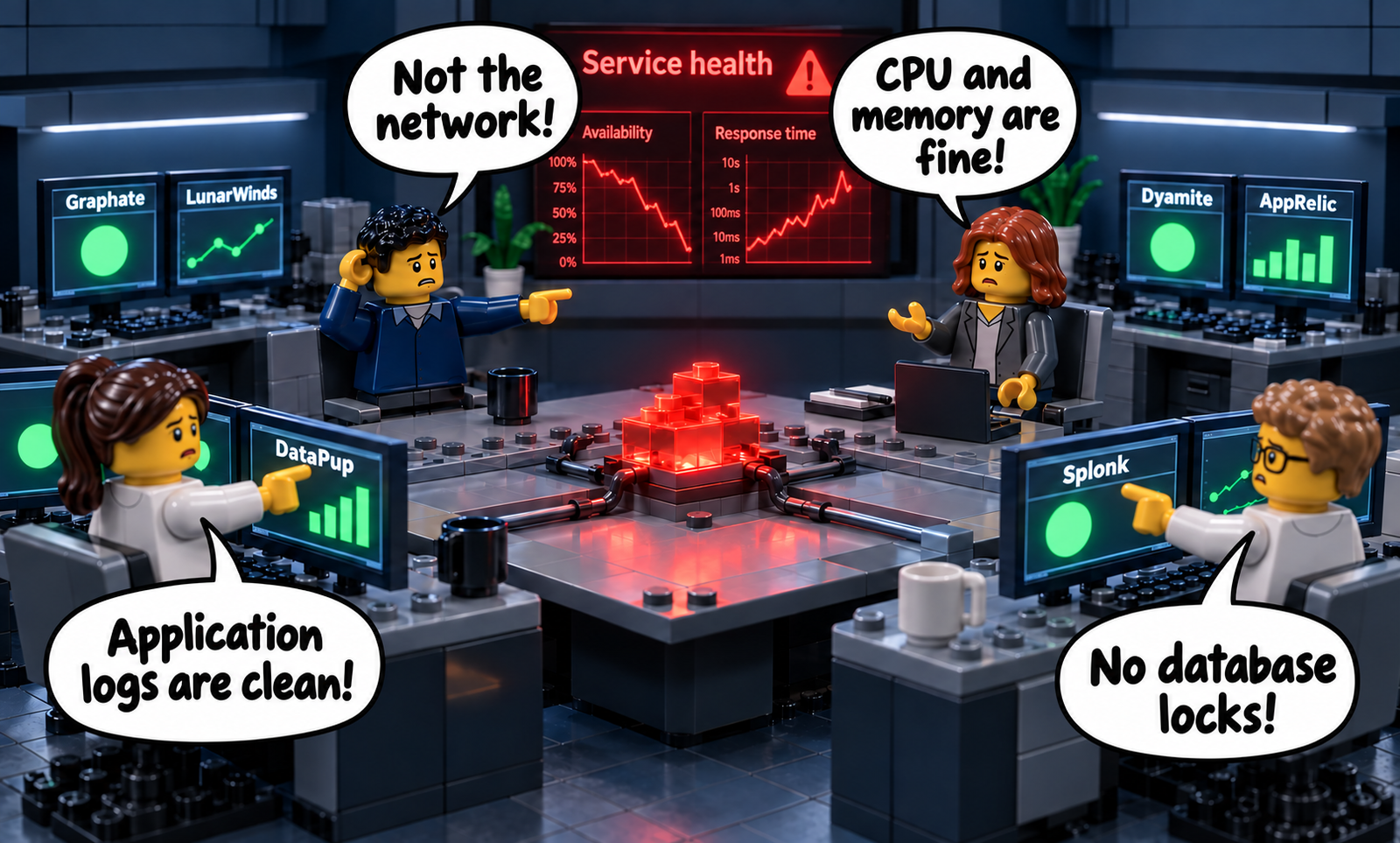
The network looks healthy. The database looks healthy. The application logs look fine. Yet customers still experience a slow or unavailable service. Each team sees its own piece. The problem can sit in the interactions between them.
A room full of dashboards. One unresolved problem.
The dashboards have fictional product names: Graphate, Dyamite, LunarWinds, AppRelic, DataPup and Splonk. Four teams say: “Not the network!”, “No database locks!”, “Application logs are clean!”, and “CPU and memory are fine!” The shared service dashboard shows falling availability and rising response time in red. The central service is still failing.
+
App911 puts evidence at the centre.
We follow the affected service across application, network, security and infrastructure boundaries. By testing competing explanations, we identify the area responsible and give the right team a clear place to act.
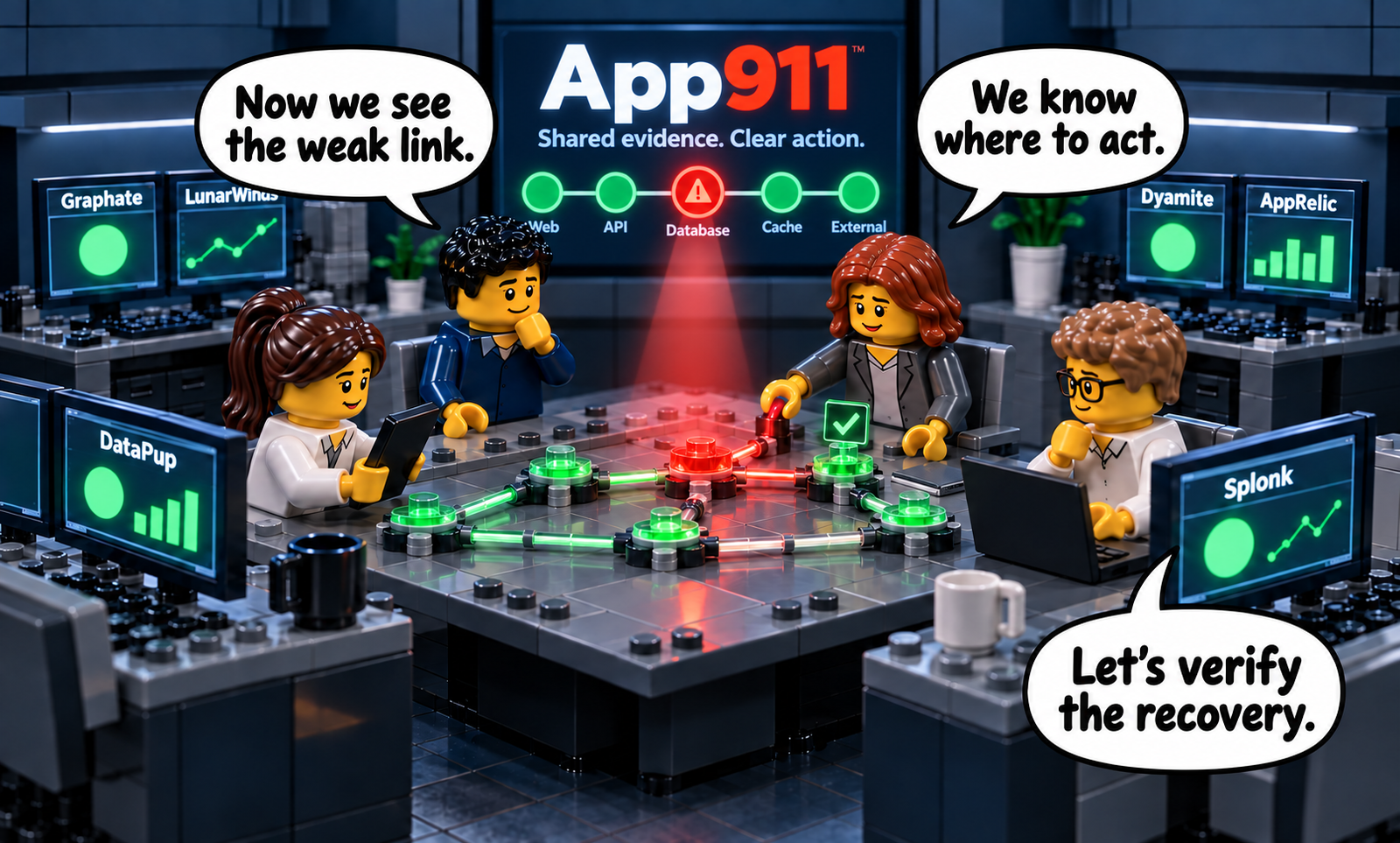
Shared evidence. A clear place to act. Recovery to verify.
The teams say: “Now we see the weak link.” “We know where to act.” “Let’s verify the recovery.” App911 illuminates the responsible area, helping the teams take targeted corrective action and verify the result. Illustrative war-room resolution.
Your IT teams are the heroes. App911 shines the light on the right spot.
24×7 when services falter. Proactive weak-link hunting.
24×7
Critical incident escalation
Expert investigation when a critical service becomes unavailable or degraded. We establish the impact, examine the evidence and guide your teams and vendors towards the necessary corrective action.
24×7 refers to escalation availability. Investigation and recovery depend on the incident, available evidence and the teams implementing the remedy.
Proactive
Hunt the weak link in your service
Services can appear stable while weak links remain hidden. App911 examines the complete service path during normal operation, looking for unnecessary application work, strained dependencies, misconfigured firewalls and load balancers. Any of these can add delay, restrict traffic or become a bottleneck under load. The aim is to find the weak link before it disrupts the service.
The same understanding of your environment supports both engagement modes.
How an investigation works
Follow the service. Prove the cause.
01
Understand the impact
Establish the affected service, what users experience and when the problem occurs.
02
Examine the evidence
Bring together application traces, sampled execution profiles, packet data and monitoring findings.
03
Isolate the responsible area
Test competing explanations across the service path. Identify which component or behaviour accounts for the observed problem.
04
Guide corrective action
Give customer teams and vendors evidence they can use to address the responsible area.
A slow login: investigate slowness without source code +
Illustrative investigation · Slow login
Runtime evidence · No source-code access required
UserLogin requestWaiting for a response
→
ApplicationAuthenticationSlowness under investigation
Users experience a slow login. The cause is still unknown.
Application team handoff
The operation causing delay, its repeated dependency calls and the runtime evidence behind the finding, so the team knows where to act. Source-code access is not required for this investigation.
01 · Symptom
The login takes too long
Login requestWaiting…
Users experience a slow login. The cause is still unknown.
02 · Evidence
Follow the request
Login→Authentication→Backend
Transaction traces, sampled runtime profiles and network evidence show where time is spent and work repeats, without reading source code.
03 · Isolation
Repeated work in authentication
Backend checkBackend checkBackend check
The evidence identifies repeated, unintentional and unnecessary checks whose cumulative effect increases end-to-end login time.
Application team handoff
The operation causing delay, its repeated dependency calls and the runtime evidence behind the finding, so the team knows where to act. Source-code access is not required for this investigation.
Illustrative example of the methodology. The sequence shows a possible finding, not measured timings or a diagnosis of every slow login.
Customer testimonials
In our customers’ words.
“App911 resolved our performance issues swiftly, allowing us to focus on our core business operations again.”
Government Entity IT Director
“Thanks to App911, our outage problems are now a thing of the past. Highly recommend their service!”
CIO, top-5 Turkish retail bank, mobile banking degradation
Getting started
Start with a service that matters.
Choose a priority service and establish the evidence needed to investigate it. Together, we agree the first investigation priorities.